
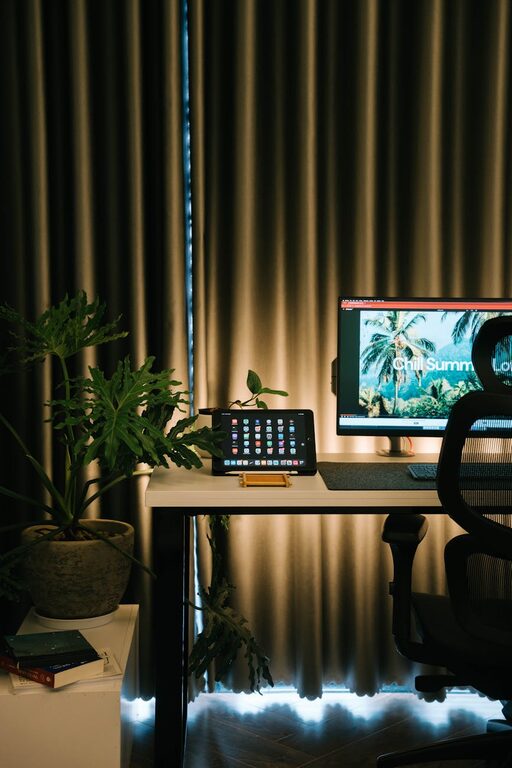
Creating a relaxing home office environment is key to maintaining focus, reducing stress, and boosting productivity. Whether you’re working remotely full-time or occasionally handling tasks from home, setting up a workspace that supports well-being can make a big difference. Here are some helpful tips to design a home office that feels calm, comfortable, and inspiring.
Choose the Right Location
The first step to a peaceful home office is selecting the best spot in your home. Ideally, this should be an area separate from high-traffic zones to minimize distractions. A quiet corner, spare room, or even a nook with natural light can work well.
– Consider noise levels: Avoid placing your desk near noisy rooms like the kitchen or living room.
– Natural light is a plus: Position your desk near windows if possible. Natural daylight helps improve mood and alertness.
– Ventilation matters: Fresh air circulation creates a healthier and more comfortable workspace.
Invest in Comfortable Furniture
Ergonomics play a huge role in creating a relaxing office. Choose furniture that supports your posture and helps avoid discomfort during long hours.
– Ergonomic chair: Pick a chair with adjustable height, lumbar support, and cushioning.
– Spacious desk: Make sure your desk is large enough for your computer, notes, and other essentials without clutter.
– Footrest: If your feet don’t comfortably reach the floor, a footrest can improve posture.
Declutter and Organize
A cluttered workspace can increase stress and reduce concentration. Keeping your home office organized helps promote a clear mind.
– Use storage solutions: Shelves, drawers, and containers keep supplies tidy and within reach.
– Limit personal items: While some decor makes the space inviting, avoid overcrowding your desk with too many things.
– Daily tidy-up: Spend a few minutes at the end of each day clearing your workspace.
Incorporate Soothing Colors and Decor
Colors influence mood and productivity, so choose shades that make you feel relaxed but alert. Soft blues, greens, or neutrals are popular choices for calming environments.
– Use plants: Adding greenery can reduce stress and improve air quality.
– Wall art: Select visuals that inspire or sooth without being distracting.
– Soft lighting: Use desk lamps or string lights instead of harsh overhead lights for a cozy atmosphere.
Manage Technology Wisely
Technology is essential but can also cause stress if not managed properly.
– Cable management: Use clips or sleeves to keep cables neat and minimize mess.
– Tech breaks: Schedule time away from screens to avoid burnout.
– Noise control: Consider noise-canceling headphones or white noise machines if outside sounds distract you.
Create a Routine and Boundaries
A calm space supports better work habits, but setting up routines and boundaries is equally important.
– Set office hours: Define when your workday starts and ends to separate work from personal time.
– Take breaks: Step away regularly to stretch, walk, or relax your eyes.
– Communicate space rules: If others share your home, let them know when you shouldn’t be disturbed.
Personalize for Comfort and Inspiration
Finally, personalize your office with items that bring you joy and motivate you.
– Favorite mug or drink: Keep something comforting nearby.
– Inspiring quotes or vision boards: Remind yourself of goals and progress.
– Comfort items: A cozy blanket or cushion can make the space feel inviting.
—
Creating a relaxing home office environment doesn’t require a complete makeover. Simple adjustments tailored to your needs can transform your workspace into a calm haven that encourages focus and well-being. Start with these tips, then tweak and personalize your setup as you discover what works best for you. Happy working!