
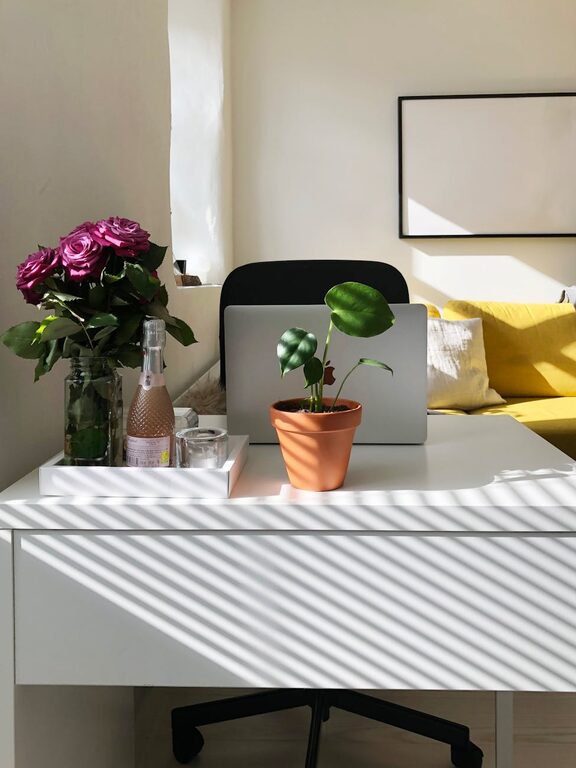
Creating a cozy and functional home workspace is essential for anyone who works remotely or spends a lot of time on personal projects at home. A well-designed workspace can boost productivity, reduce stress, and make your workday more enjoyable. Whether you have a dedicated room or a small corner, there are simple steps you can follow to transform your area into a comfortable and efficient environment.
Choose the Right Location
The first step is selecting the best spot in your home for your workspace. Ideally, choose a quiet area with minimal distractions. Natural light is a bonus because it helps reduce eye strain and elevates your mood. If possible, position your desk near a window to take advantage of daylight.
If space is limited, look for underused corners or small nooks that can be adapted. Even a fold-down desk or a compact workstation can work well if planned properly.
Invest in Comfortable Furniture
Comfort is key for long hours at your desk. Choose a chair that provides good back support and allows you to sit with feet flat on the floor and knees at a right angle. Adjustable chairs can help you customize your seating position.
Your desk should be at a height where your arms rest comfortably while typing or writing. If you use a laptop or desktop computer, consider stands or keyboard trays to maintain ergonomic alignment.
Improve Lighting
Good lighting helps reduce eye fatigue and keeps you alert. Combine natural light with artificial sources. A desk lamp with adjustable brightness and direction allows you to control your light exactly where you need it.
Avoid harsh overhead lighting and glare from screens by positioning lights thoughtfully. Using bulbs with a color temperature close to natural daylight (around 5000K) can make the area feel more inviting and clear.
Keep It Organized
A clutter-free workspace promotes focus and efficiency. Use organizers such as trays, drawers, and shelves to keep essential items within easy reach but out of the way. Cable management tools like clips or sleeves prevent tangled cords and improve safety.
Regularly declutter and remove items you don’t use often. Personal items like photos or plants add warmth without overwhelming the space.
Personalize Your Space
Adding touches that reflect your style can make your workspace cozy and motivating. Choose colors you find calming or energizing for your walls, accessories, or desk items.
Incorporate plants to bring life and freshness. A small potted plant or succulent can improve air quality and create a happier environment.
Consider Technology Needs
Make sure your workspace supports your technology requirements. A reliable Wi-Fi connection is essential, and having enough outlets for chargers and devices keeps everything running smoothly.
Use a good quality headset or microphone if you attend virtual meetings frequently. Position monitors at eye level to avoid neck strain, and consider using a second monitor for multitasking if space allows.
Create Boundaries
Separating your workspace from living areas can help maintain a healthy work-life balance. If you share your home, communicate your working hours and establish signals when you’re not to be disturbed.
Using room dividers, rugs, or curtains can visually zone the area and provide a sense of privacy.
Maintain a Routine and Take Breaks
No matter how well-designed your workspace is, remember to take regular breaks to stretch and rest your eyes. Standing up and moving around refreshes your body and mind.
Set a schedule to start and end your workday, helping you stay productive and avoid burnout.
—
By carefully planning your home workspace with these tips, you can create a cozy, inviting, and practical area that supports your work goals and contributes to your well-being. Whether you’re working full-time from home or tackling occasional tasks, a thoughtful setup makes all the difference.