
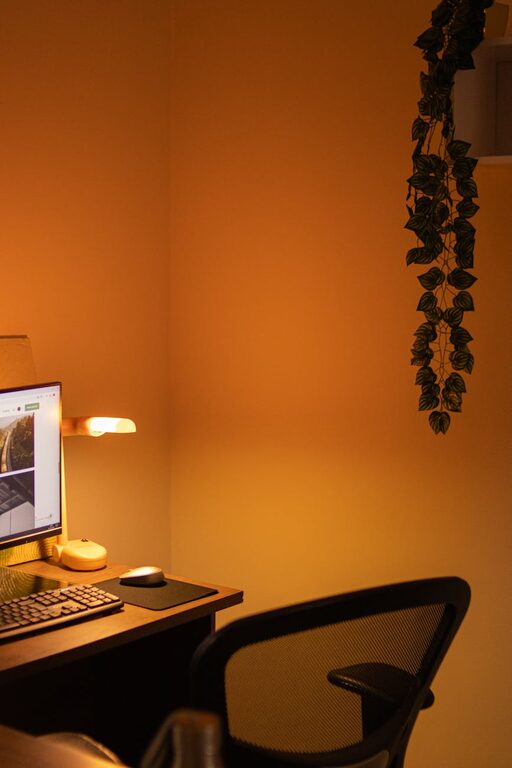
Creating a cozy and inviting home office can transform your work-from-home experience. Whether you’re logging in for remote work, freelancing, or managing household tasks, a thoughtful office space helps you stay focused and feel comfortable throughout the day. Below, we’ll explore practical tips to help you design a workspace that is both functional and welcoming.
Choose the Right Location
Prioritize Natural Light
Whenever possible, set up your home office near a window. Natural light improves mood, reduces eye strain, and keeps you alert. If natural light is limited, opt for bright, warm artificial lighting that mimics daylight.
Minimize Distractions
Select a quiet corner or spare room away from high-traffic areas in your home. This separation helps you concentrate and signals to others that you’re in work mode.
Invest in Comfortable Seating
A good chair is a must for long hours at your desk. Look for ergonomic chairs that support your back and encourage good posture. If budget allows, adjustable chairs offer the most personalized comfort.
Customize Your Desk and Work Surface
Choose a desk size that fits your needs and available space. Consider options with storage or built-in organization. Keep your desk clutter-free to minimize distractions and maximize workspace.
Use Warm Colors and Textures
Select Soothing Paint Colors
Color impacts mood and productivity. Soft neutrals, pastels, or earth tones create a calming atmosphere. Avoid overly bright or harsh colors if you want a cozy vibe.
Add Textiles for Comfort
Layer your office with inviting textiles such as a plush rug, cushions for your chair, or curtains. These elements soften the room and contribute to a homely feel.
Personalize with Meaningful Decor
Decorate your workspace with items that inspire and motivate you. Photos, artwork, plants, or motivational quotes can brighten the space without overwhelming your focus.
Ensure Good Organization
Use Storage Solutions
Shelves, drawers, and organizers help keep papers, supplies, and gadgets neatly stored. Label storage containers to quickly find what you need.
Keep Cables Tidy
Tangling cords can add visual clutter and frustration. Cable organizers or clips keep wires neat and your desk clear.
Incorporate Greenery
Indoor plants bring life and freshness to your home office. They can improve air quality and have a calming effect. Choose low-maintenance plants like succulents, snake plants, or pothos.
Optimize Lighting for Productivity
Combine Task and Ambient Lighting
Use a desk lamp with adjustable brightness for detailed work. Supplement with ceiling or floor lamps to create balanced lighting and avoid eye fatigue.
Consider Adjustable Lighting
Lighting you can dim or change helps you adapt to different times of day or moods.
Create a Dedicated Workspace Separation
Setting physical boundaries between your office and the rest of your living area helps maintain work-life balance. Use room dividers, bookcases, or curtains if you share spaces.
Add Personal Comfort Features
– A cozy throw blanket for chilly days
– A small speaker for background music
– A water bottle or mug for hydration
– Scented candles or essential oil diffusers with calming scents
Maintain Your Space Regularly
Spend a few minutes at the end of each day tidying your desk. A clean and organized space supports a peaceful mindset for the next work session.
—
Designing a cozy and inviting home office doesn’t require a full renovation. Small, thoughtful choices can make your work environment more comfortable and motivating. By blending functionality with personal touches, you’ll create a space where productivity and comfort coexist beautifully.