
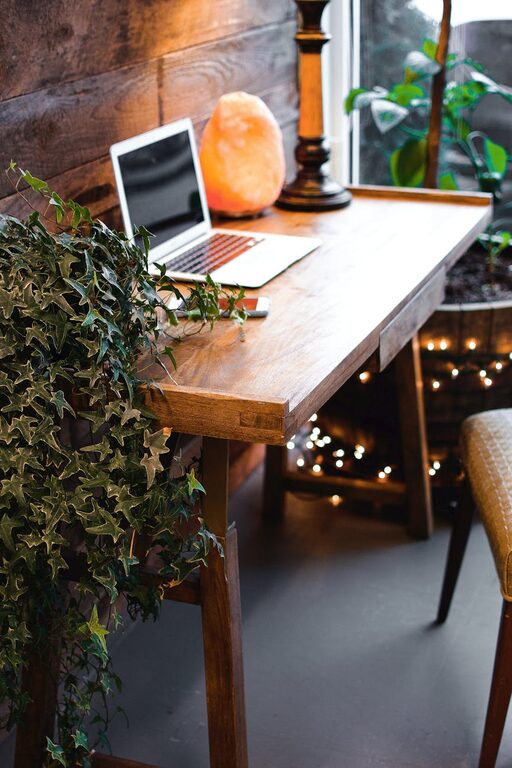
Creating a home workspace that is both cozy and functional can greatly enhance your productivity and overall well-being. Whether you work remotely full-time or occasionally need a quiet spot for tasks, setting up a space that feels inviting and supports your workflow is essential. In this post, we’ll explore practical tips to help you design a home workspace that balances comfort and efficiency.
Choose the Right Location
Your workspace’s location sets the foundation for how effective and comfortable it will be.
– Natural Light: Whenever possible, choose a spot near a window. Natural light improves mood and reduces eye strain.
– Avoid Distractions: Select an area away from high-traffic zones or noisy appliances. A corner or spare room is often ideal.
– Consider Privacy: If on video calls, make sure your background is tidy and professional-looking.
Invest in Comfortable and Supportive Furniture
Your furniture plays a huge role in both comfort and productivity.
– Ergonomic Chair: Choose a chair with proper lumbar support to prevent back pain.
– Appropriate Desk Height: Your desk should allow your elbows to rest comfortably at a 90-degree angle.
– Adjustable Options: Consider height-adjustable desks or monitor stands to customize your setup.
Organize for Functionality
Clutter can hinder focus and slow you down. Organization is key to a functional workspace.
– Storage Solutions: Use shelves, drawers, or containers to keep essentials within reach but out of sight.
– Desk Layout: Keep only daily-use items on your desk to reduce distractions.
– Cable Management: Use clips or sleeves to keep cords neat and prevent tangling.
Personalize Your Space for Comfort
Adding personal touches makes the workspace feel welcoming and less like a sterile office.
– Plants: Adding greenery can improve air quality and create a calming atmosphere.
– Soft Textiles: A cozy rug or cushion can add warmth.
– Art and Decor: Choose pieces that inspire you without overwhelming the space.
Optimize Lighting for All-Day Comfort
Good lighting reduces eye strain and helps maintain energy levels.
– Layered Lighting: Combine overhead lights with task lighting such as a desk lamp.
– Adjustable Brightness: Choose lamps with dimmers or adjustable settings.
– Avoid Glare: Position screens and lights to minimize reflections.
Maintain Air Quality and Temperature
A comfortable environment supports longer focus sessions.
– Ventilation: Open windows when possible or use fans to circulate fresh air.
– Temperature Control: Keep the room cool but comfortable; extreme temperatures can distract you.
Create Boundaries Between Work and Home Life
Especially when working from home, it’s important to mentally switch on and off.
– Dedicated Workspace: Use your home office only for work-related activities.
– Clear End-of-Day Routine: Close your laptop and tidy your desk at the end of work hours.
– Limit Non-Work Items: Avoid mixing work and leisure items in this space.
Utilize Technology for Efficiency
The right tools can make your workflow smoother.
– Reliable Internet: Ensure a strong connection for calls and data transfer.
– Noise-Cancelling Headphones: Useful for blocking distractions and improving concentration.
– Productivity Apps: Use planners, timers, or note-taking tools that suit your style.
Keep Your Workspace Clean
Regular cleaning maintains a pleasant environment and minimizes allergens.
– Daily Tidying: Spend a few minutes at the end of each day organizing.
– Weekly Cleaning: Dust surfaces and vacuum floors to reduce dust buildup.
– Sanitize Frequently: Clean keyboards, mice, and phones regularly.
—
By thoughtfully combining these elements, you can create a home workspace that not only supports your work goals but also feels inviting and comfortable. Start small, experiment with what makes you feel relaxed and efficient, and adjust your space as your needs evolve. A cozy and functional home workspace can make a big difference in your work-from-home experience.