
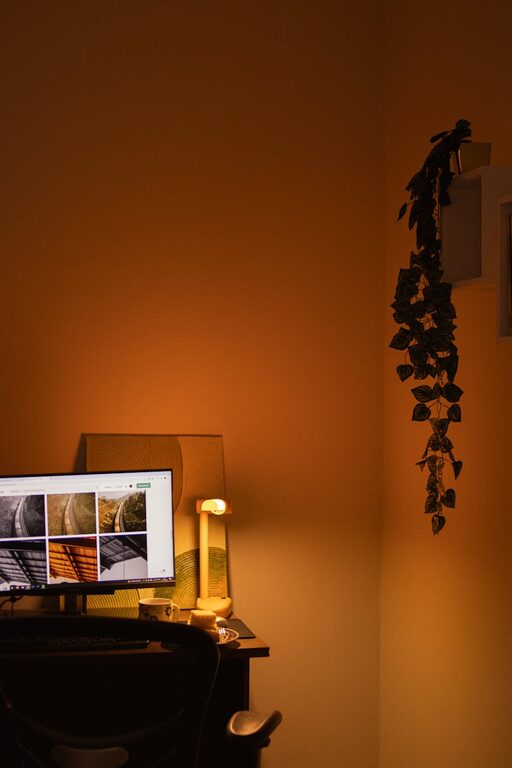
Creating a relaxing home workspace is essential for boosting productivity and maintaining a healthy work-life balance. A space designed with comfort and calm in mind helps reduce stress, improve focus, and keep motivation high throughout the day. Whether you work remotely full-time or occasionally from home, these tips will help you turn any corner into a productive haven.
Why a Relaxing Workspace Matters
A workspace isn’t just about having a desk and a computer. The environment around you affects your mindset and efficiency. Clutter, poor lighting, and uncomfortable furniture can all contribute to distraction and fatigue. On the other hand, a soothing, well-organized area encourages clear thinking and sustained concentration.
Choose the Right Location
Selecting the right spot for your home workspace sets the foundation for productivity. Consider the following:
– Natural Light: Try to position your desk near a window. Natural light boosts mood and energy levels.
– Quiet Environment: Pick a place with minimal noise and foot traffic to avoid distractions.
– Define Boundaries: Having a separate room or a designated area helps mentally separate work from relaxation.
Invest in Comfortable Furniture
Comfort is key when you spend long hours working.
– Ergonomic Chair: Choose a chair with good back support and adjustable height.
– Desk at the Right Height: A proper desk height prevents strain on your wrists and shoulders.
– Footrest or Adjustable Desk: These tools can improve posture and comfort further.
Organize with Purpose
Clutter can negatively impact your focus, so organization is important.
– Use Storage Solutions: Drawers, shelves, and organizers keep essential items tidy.
– Minimalist Setup: Only keep the tools you use daily on your desk.
– Cable Management: Use clips or tubing to keep cables neat and out of sight.
Use Calming Colors and Decor
Colors influence mood and productivity.
– Soft Tones: Shades like blues, greens, and neutrals promote calm.
– Personal Touches: Add plants, artwork, or décor that inspire but don’t distract.
– Avoid Overdecorating: Keep the space simple and balanced.
Control Lighting and Reduce Eye Strain
Proper lighting prevents fatigue and headaches.
– Combine Light Sources: Use a mix of natural light, task lighting, and ambient light.
– Adjustable Desk Lamp: Allows you to direct light where needed.
– Reduce Screen Glare: Position your computer screen to avoid reflections.
Incorporate Sensory Elements for Relaxation
Engaging your senses can make your workspace more inviting.
– Aromatherapy: A subtle diffuser with calming scents like lavender or eucalyptus.
– Background Sounds: Consider soft instrumental music or white noise.
– Comfortable Textures: Cushioned seating or a soft rug add to physical comfort.
Take Regular Breaks
A relaxing workspace also encourages breaks to recharge.
– Set Timers: Follow techniques such as the Pomodoro method—work for 25 minutes, break for 5.
– Stretch or Walk: Moving briefly helps reset focus and reduces muscle tension.
– Enjoy Your Space: Use a cozy corner for short mindfulness or breathing exercises.
Personalize Your Workflow Tools
Using tools that suit your style can improve efficiency.
– Digital Organization: Use apps for task management, calendars, or note-taking.
– Physical Tools: A quality notebook, calendar, or motivational quotes can be helpful.
– Limit Distractions: Turn off non-essential notifications during work sessions.
Maintain Cleanliness Daily
A clean space refreshes your mind.
– End of Day Routine: Take a few minutes to tidy your desk before finishing work.
– Regular Deep Cleaning: Dust surfaces and vacuum to maintain a pleasant atmosphere.
Final Thoughts
Designing a relaxing home workspace doesn’t require a big budget or extensive renovations. Thoughtful choices in location, furniture, lighting, and organization can transform any space into a productive and peaceful work area. By fostering an environment that supports focus and calm, you can boost your productivity and enjoy a more balanced work-from-home experience.